Your collection, in play · Beta
Custom Chess.com boards
and pieces for Chrome.
Install the extension to use your Chessskins boards and pieces on Chess.com.
Where Chessskins works
Use Chessskins on Chess.com in desktop Chrome. The extension does not run in the Chess.com mobile apps or on Lichess.
Chessskins changes the board and piece artwork. It does not provide engine analysis, move suggestions, or automated play.
- 01
Install Chessskins for Chrome
Install extension ↗Installing the extension does not start a subscription or charge you.
Already have Chess.com open? Refresh those tabs once after installing Chessskins so the extension can connect to the page.
- 02
Connect your account
Create a free Chessskins account or sign in on the website. Verify your email if prompted. Open Chessskins from the Chrome toolbar, choose Sign in, and approve Connect extension on the website using the same account.
If registration is restricted when you try to join, contact Support for access. Existing accounts can still sign in.
- 03
Sync and apply
Choose a board and pieces on Loadout, or apply a complete set from Explore. In the Loadout editor, click Apply changes to save your choices. Open your Chess.com board, then click Sync in the extension popup. The popup confirms when the board is connected.
You have one active loadout. Editor changes are previews until applied; Saved stores your favorites. Boards and pieces can be selected independently, and color controls are available for boards that support them.
If your skin does not appear
- Check that the website and extension use the same Chessskins account.
- In Loadout, confirm your selection has been applied.
- After installing or updating, refresh Chess.com tabs that were already open.
- Click Sync and read the connection message in the popup. Applying and syncing animated styles and sound packs requires an active Premium subscription or eligible trial.
To return to the native Chess.com appearance, choose Reset all in the popup. This clears your active board and piece selections. Reduced-motion preferences pause animations.
Read the loadout FAQ and upload guide, or contact Support with your browser version and the affected page.
Already installed?
Update Chessskins and get back to playing.
You can wait for Chrome to update Chessskins automatically. Updates are not instant and can sometimes take more than 24 hours to reach your browser. To check sooner, follow the steps below.
Check for an update
- Finish your current Chess.com game before updating or reinstalling.
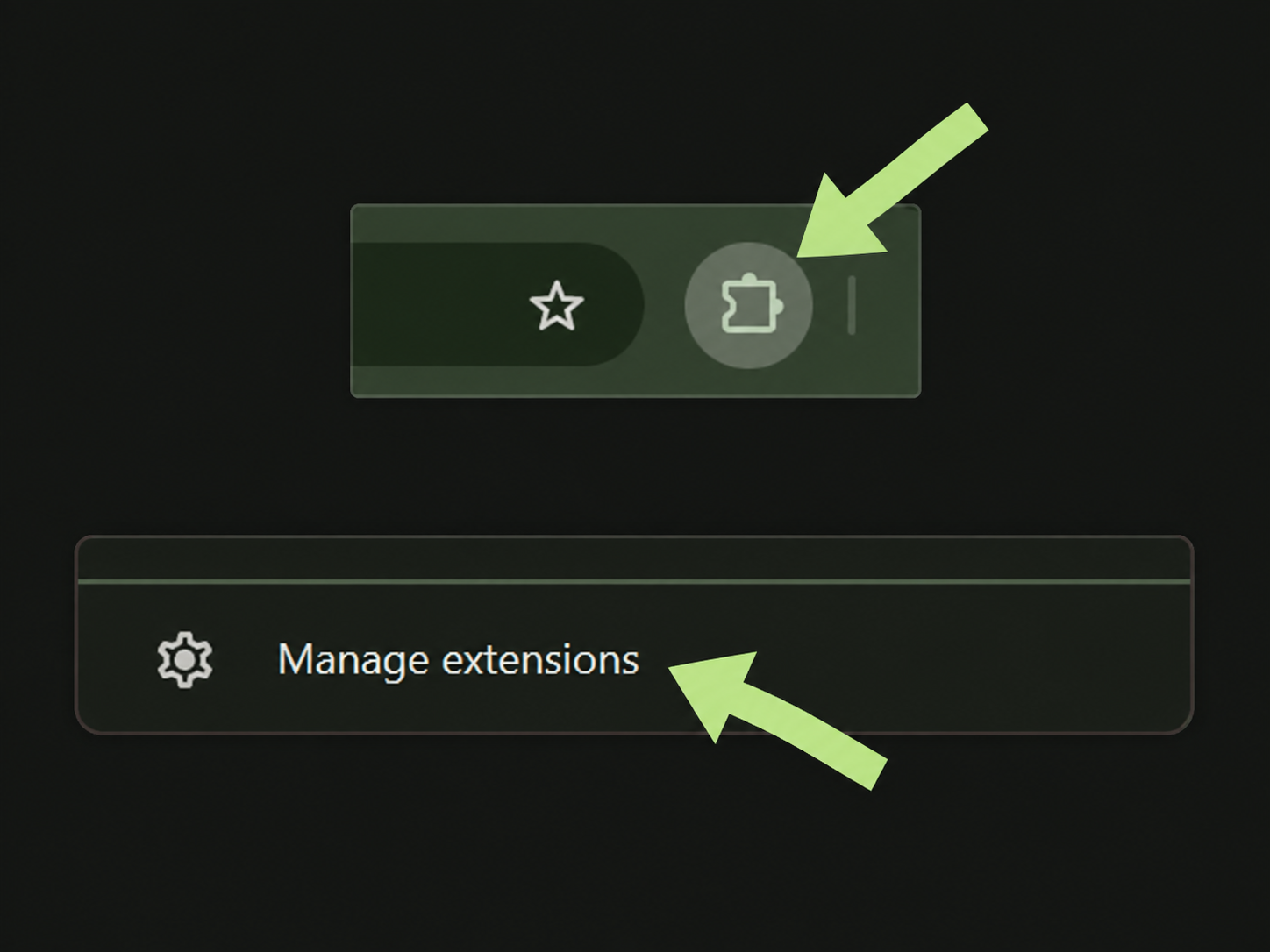
- Click Chrome’s puzzle-piece icon, then choose Manage extensions. You can also open
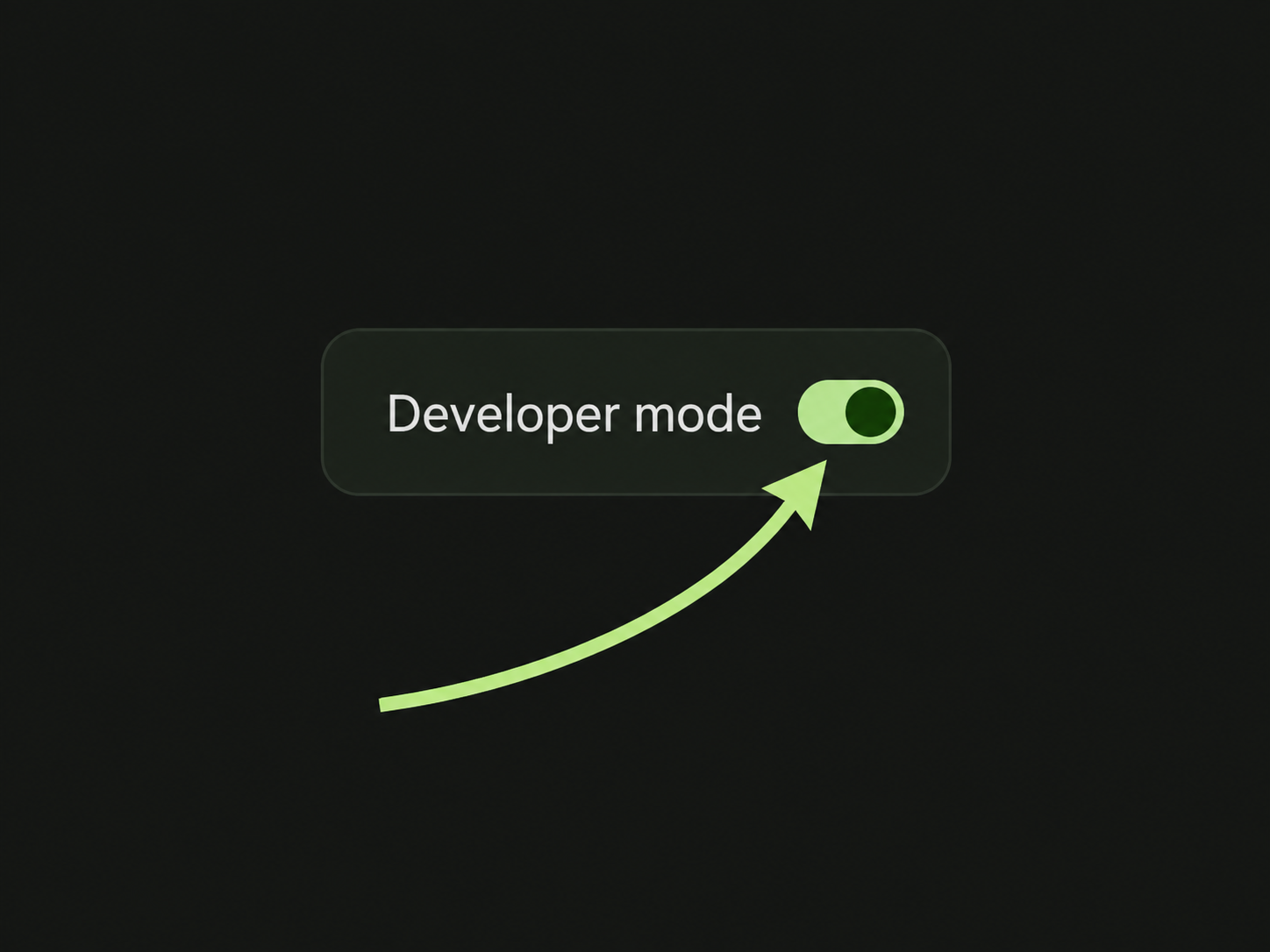
chrome://extensionsdirectly. - Turn on Developer mode, then click Update. Check the version shown for Chessskins.
- Refresh your open Chess.com tabs, then open Chessskins and click Sync to apply your saved loadout.
Open Manage extensions
Click the puzzle-piece icon in Chrome’s toolbar, then Manage extensions at the bottom of the menu.
Turn on Developer mode
Enable the toggle at the top right of the extensions page. If it is already on, leave it on.
Click Update
Click Update at the top left. Once Chessskins has updated, refresh Chess.com and click Sync after your game ends.
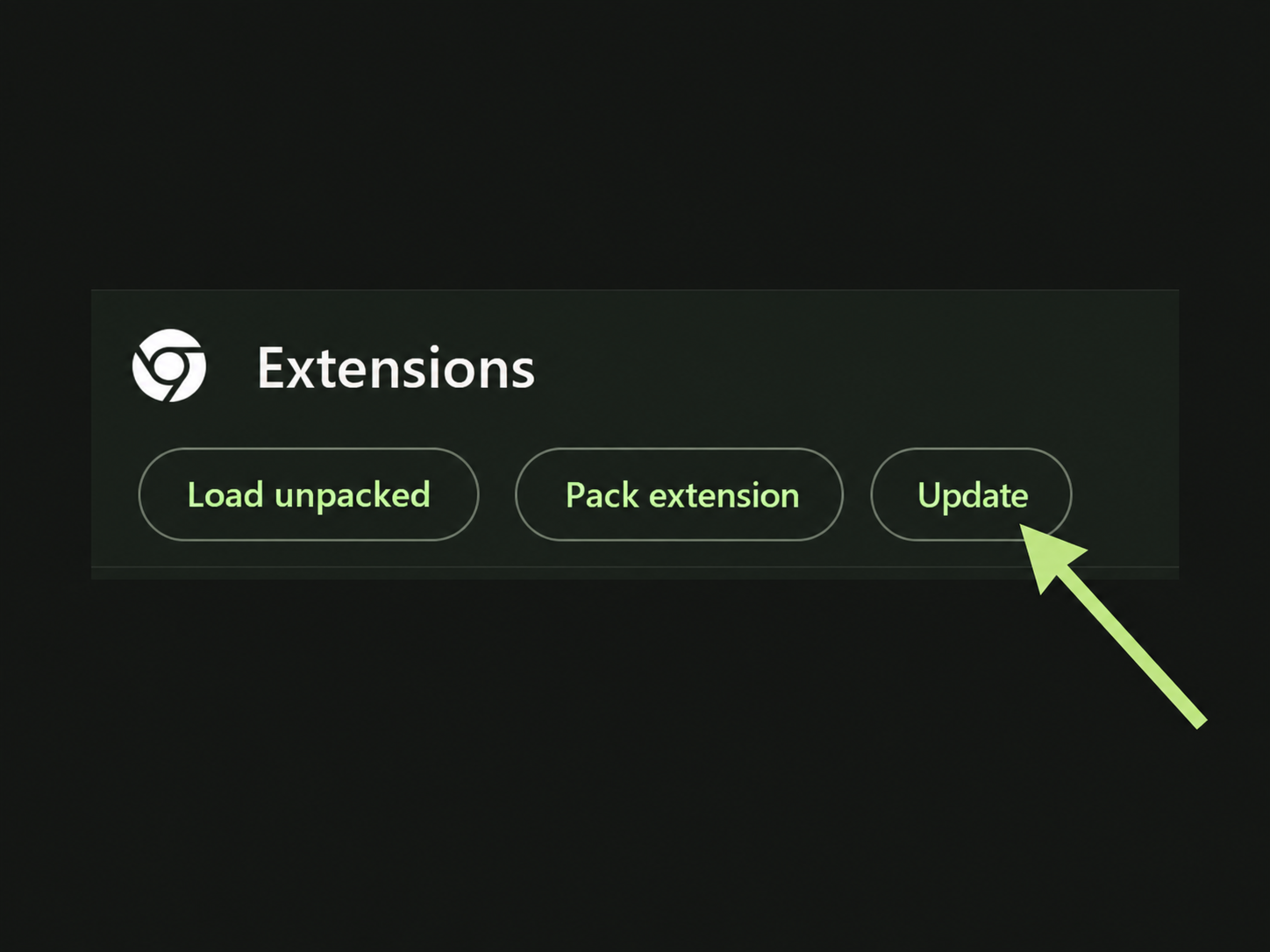
Select any image to enlarge it. Chrome’s colors may look different on your device.
Prefer to reinstall instead?
- Finish your game, then open the Chessskins Chrome Web Store page using the link below.
- Click Remove from Chrome and confirm removal.
- On the same page, click Add to Chrome, then Add extension.
- Open Chessskins, sign in with the same account, click Sync, and refresh Chess.com.
Your saved website loadout stays on your account.
View Chessskins in the Chrome Web Store ↗